Task Management
Give every job an owner and a due date.
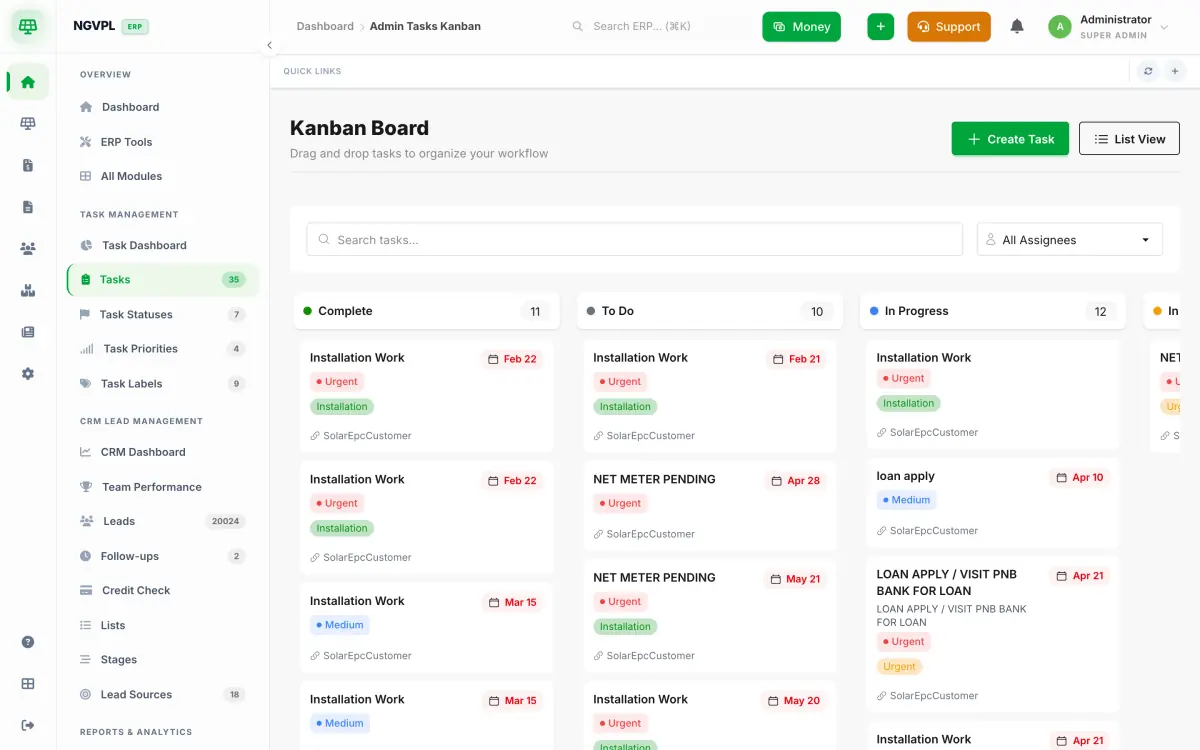
Tasks with assignees, due dates, priorities and labels, on a list or on a Kanban board. People are notified when a task they hold goes overdue.
On screen
What's included
- Task Dashboard
- Tasks
What it does for you
Assign a task to one or more people and give it a priority, labels and a due date.
Drag tasks between statuses on the Kanban board. The statuses, priorities and labels are yours to set up.
Add checklists and comments to a task. Its progress follows the checklist, and its history records what changed.
An open task that passes its due date notifies the people assigned to it. The check runs every morning.
On a project, turn a stage checklist item into a task for one person, by a date.
Who uses it
- Project coordinators and managers who hand out work.
- Installers and office staff who need a clear list of what is theirs today.