Solar AI
Ask your ERP a question instead of hunting for the screen.
Ask Solar is a chat assistant that works on your own ERP data. It looks things up for you. When you ask it to create something, the request waits for approval before anything is saved.
On screen
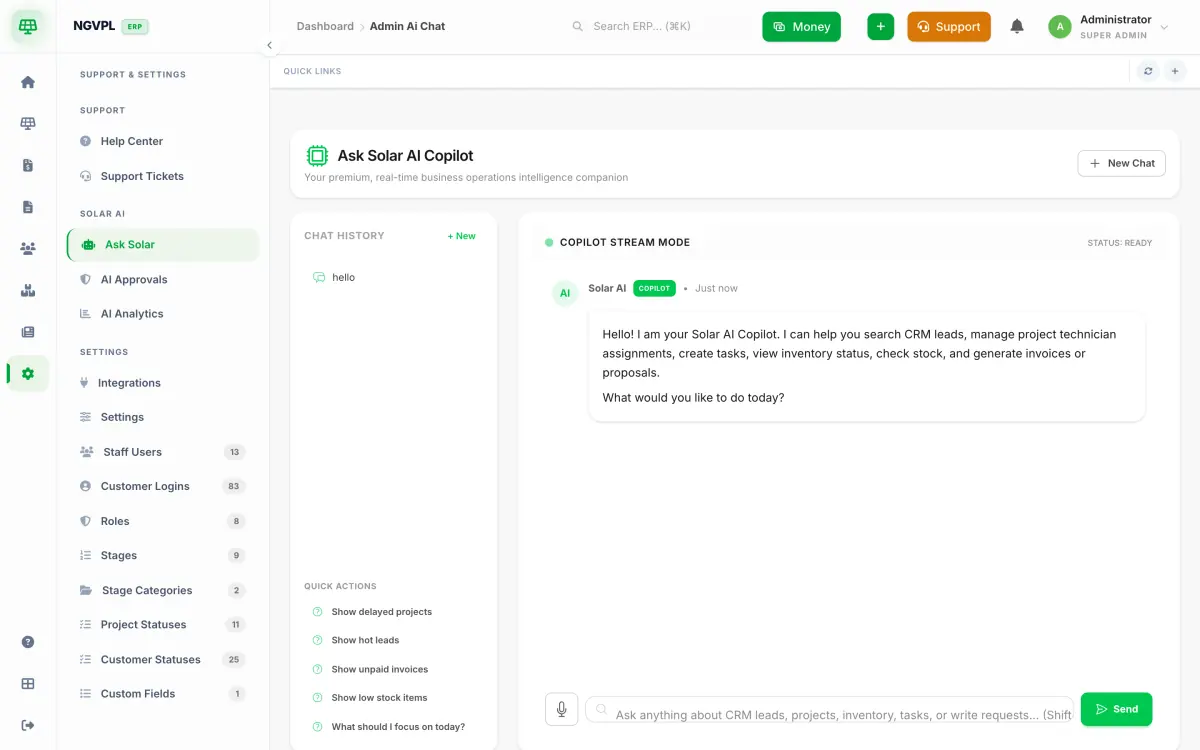
What's included
- Ask Solar
- AI Approvals
- AI Analytics
What it does for you
Ask in plain language about leads, projects, stock, invoices, tasks and reports. The answers come from your own records.
It acts as the person who is signed in. It can only do what that person is already allowed to do by hand.
Anything that changes data, such as a new lead, a follow-up, a quotation, an invoice or a task, waits as a pending approval. A second person approves it unless the requester has been allowed to approve their own.
Upload a photo or PDF of an electricity bill and the details are read into the lead form.
The analytics screen shows how the assistant is being used.
Who uses it
- Owners and managers who want a quick answer about leads, projects, stock or dues.
- Sales and project staff who would rather ask than click through screens.
- Admins who approve or reject what the assistant proposes.