Core
The workspace every other module sits on.
Dashboard, staff users and roles, reports, integrations, settings and support. Core is always on, in every SolarERP workspace.
On screen
What's included
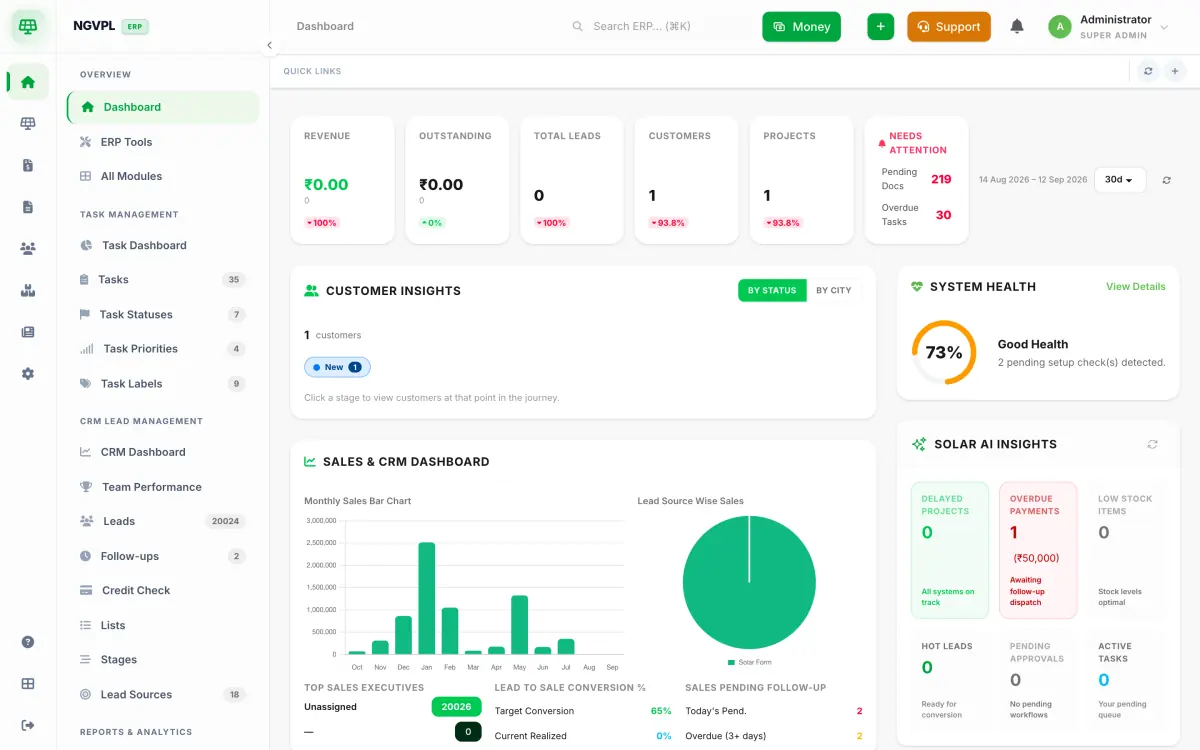
- Dashboard
- ERP Tools
- All Modules
- Live Map
- Report Centre
- Download Centre
- Help Center
- Help from SolarERP
- AI Settings
- Integrations
- Settings
- Master Data
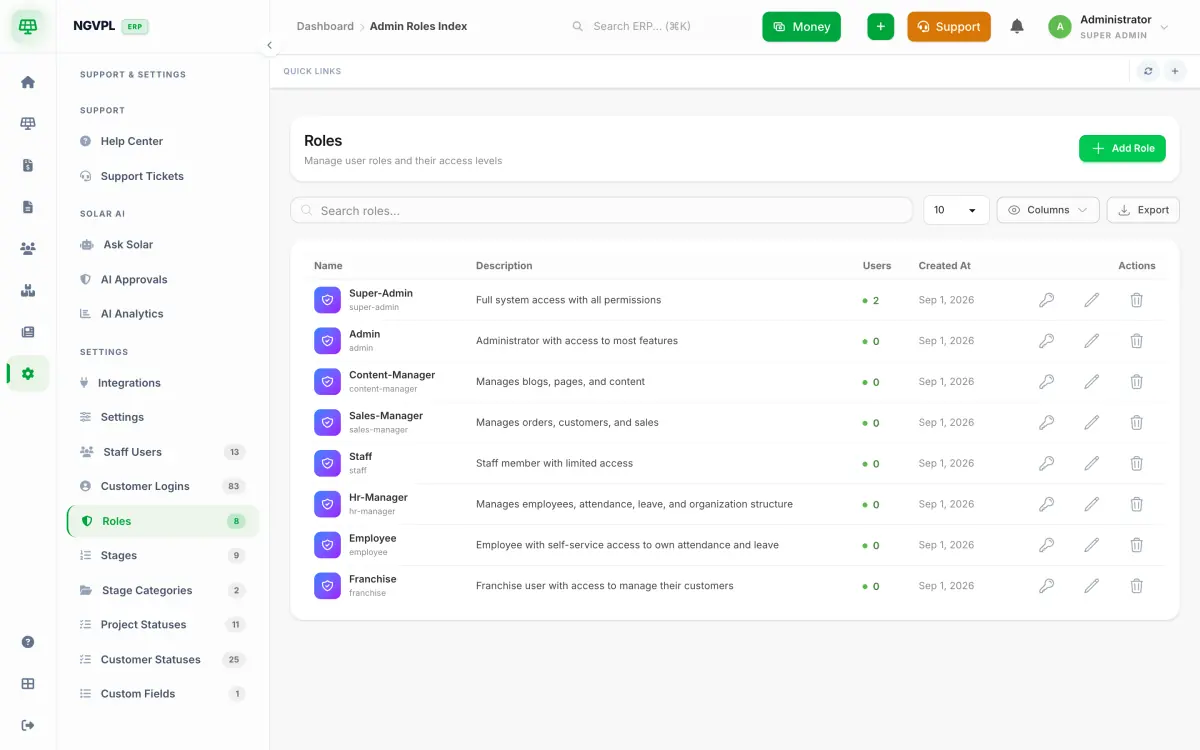
- Staff Users
- Customer Logins
- Roles
- Custom Fields
What it does for you
Create the roles your company uses and choose what each one may see and do. Screens check the permission, so the role name is yours to pick.
The Report Centre groups reports by area (CRM, sales, finance, HR, inventory, operations) and each one exports to Excel, CSV or PDF. You only see the reports your permissions allow.
Add your own fields to customers and CRM leads, so the forms ask what your company needs to know.
Connect lead sources and messaging from one Integrations screen: IndiaMART, Justdial, HelloLeads, Facebook, Contact Form 7, WhatsApp through Interakt, Aisensy or WATI, and MSG91 for SMS and email.
Field staff can share their live location while they work. A map shows the team, each person has their own on and off switch, and sharing can stop at the end of the shift.
Who uses it
- Owners and admins who set up the workspace, the staff logins and the roles.
- Managers who read the dashboard and the reports.
- Field staff who share their live location while they are out on a job.