Billing & Finance
Quote, bill and collect, then see who still owes you.
Quotations, proforma invoices, sale orders, delivery challans, GST invoices and purchase bills, with a cashbook for money in and out and a screen for what customers still owe.
On screen
What's included
- Finance Dashboard
- Money due
- Cashbook
- Office Expenses
- Quotations
- Proforma Invoices
- Sale Orders
- Delivery Challans
- Invoices
- Purchase Invoices
What it does for you
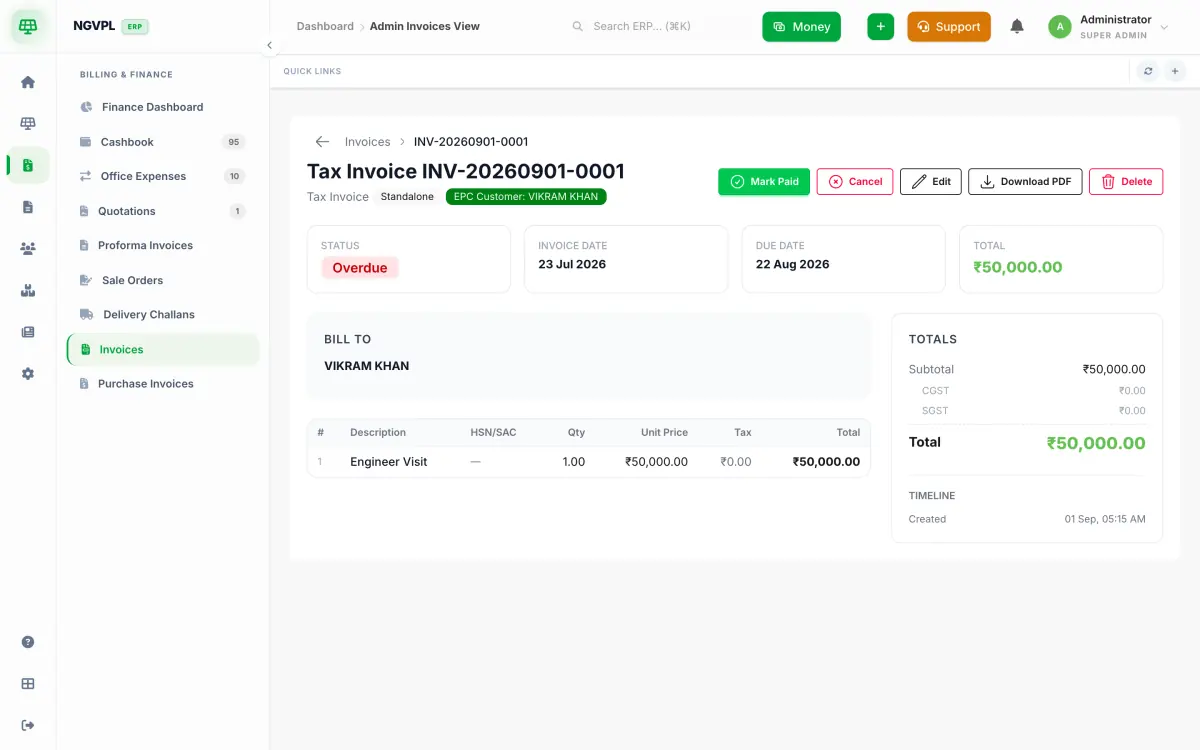
Raise a quotation, proforma invoice, sale order, delivery challan or tax invoice, and convert one into the next without retyping the lines.
GST is split as CGST and SGST, or as IGST, by place of supply, taken from the buyer's GSTIN or state. The PDF shows the total in words and can print Original for recipient and Duplicate for transporter copies.
Enter purchase invoices from vendors with the same GST split. Purchase orders are raised from Inventory and sit beside them.
The cashbook records money in and out against a customer, project, vendor, technician or franchise. Customer payments and office expenses can be approved or rejected, and a receipt or a statement can be shared with the customer on WhatsApp.
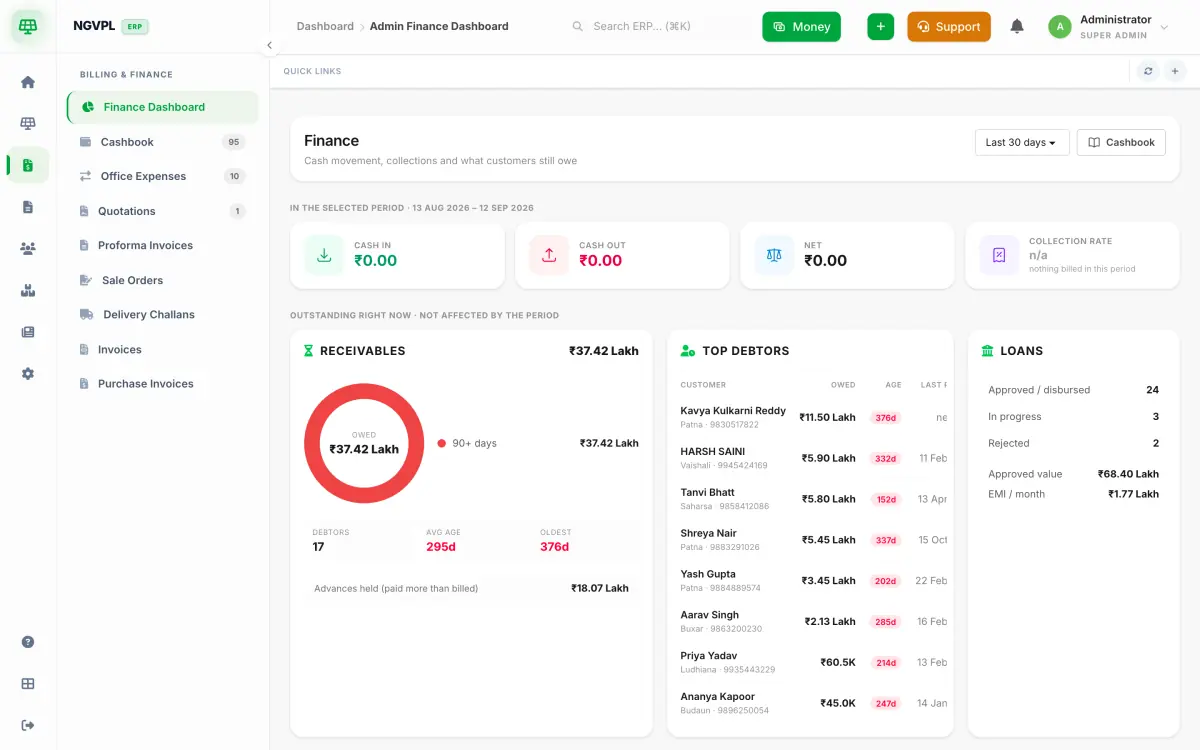
Money due lists every project with an unpaid balance and how old it is. The finance dashboard shows cash in, cash out, receivables by age and the biggest debtors. Sent invoices past their due date are marked overdue each night.
Who uses it
- Accounts staff who raise invoices, record payments and chase balances.
- Sales staff who send quotations and proformas.
- Owners who want to see cash in, cash out and who owes the most.
Works with
Billing & Finance needs this module switched on: